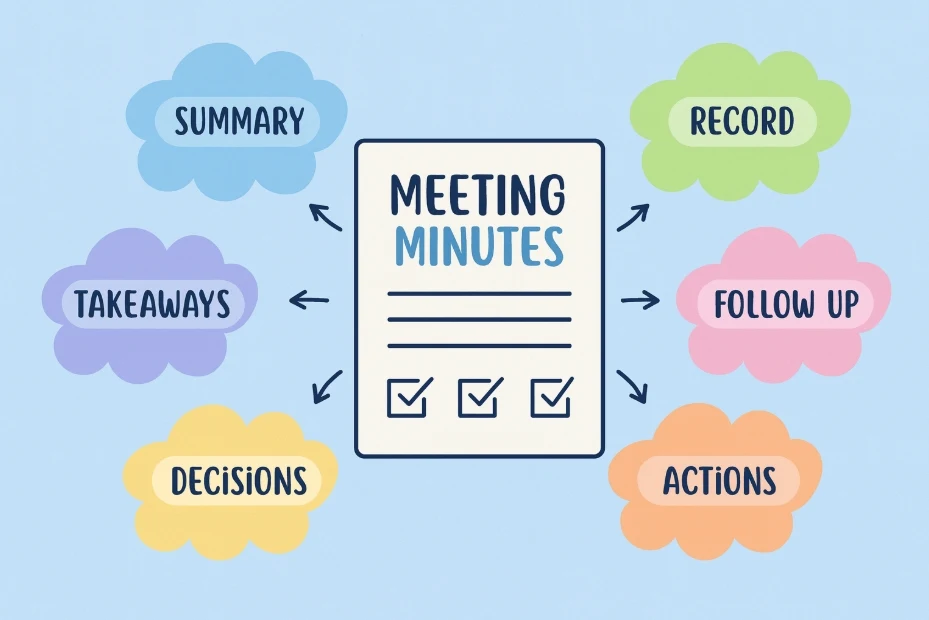
TwinMind can now record, transcribe, and summarize your phone calls automatically.
This guide will show you how to capture important phone conversations and never miss key details again.
🌍 Availability:
This feature is currently only available in Europe, United States and Canada.
1) Before You Start: Verify Your Phone Number
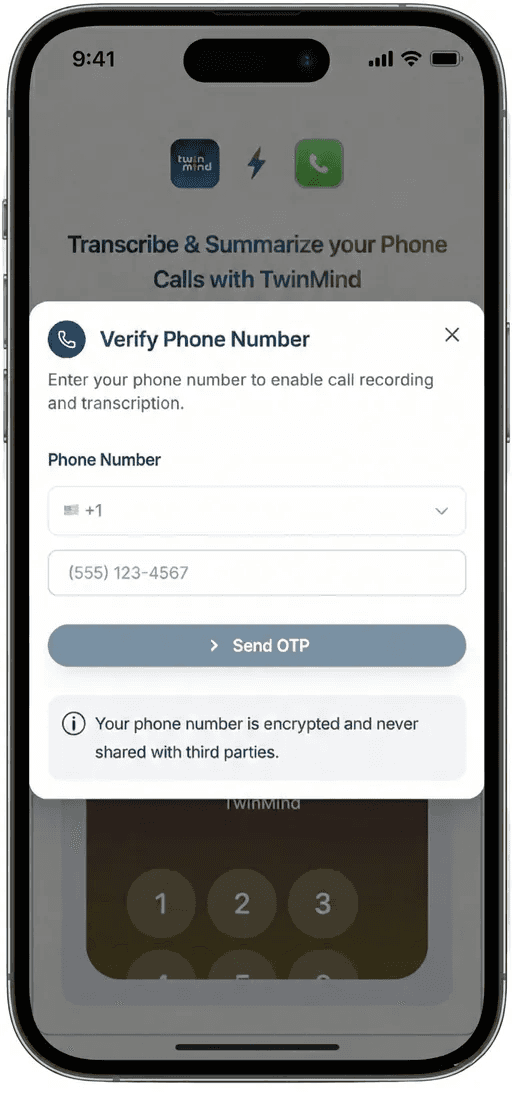
Before you can record calls, you need to verify your phone number. This is a quick one-time setup.
Enter your phone number (include your country code)
Enter the SMS verification code we send you
That's it! You're ready to record calls.
💡 Pro Tip: Save Our Number!
Save the TwinMind recording number as a contact in your phone. This makes it super easy to add us to calls with just one tap.
TwinMind Number:
🇺🇸 US: +1 9045875004
🇪🇺 EU: +48 459050611
2) How to Record an Outgoing Call
When you're calling someone, you want to add TwinMind first. Here's the simple process:
Call TwinMind first: Open your Phone app and call the TwinMind number you saved. Wait for it to connect, you'll hear silence, that's normal!
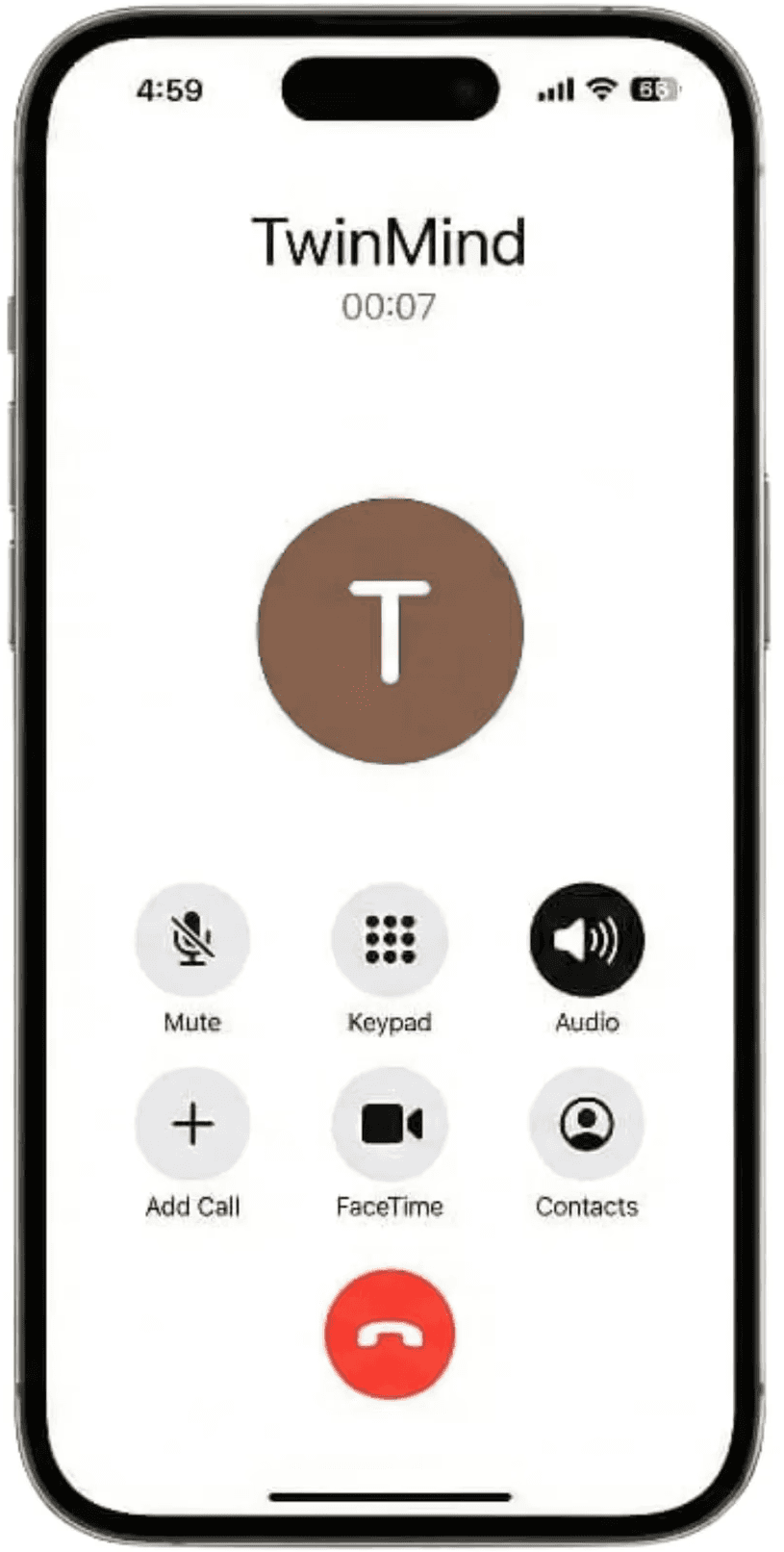
Add the person you want to talk to: Tap "Add Call" on your screen, then dial or select your contact. Wait for them to answer.
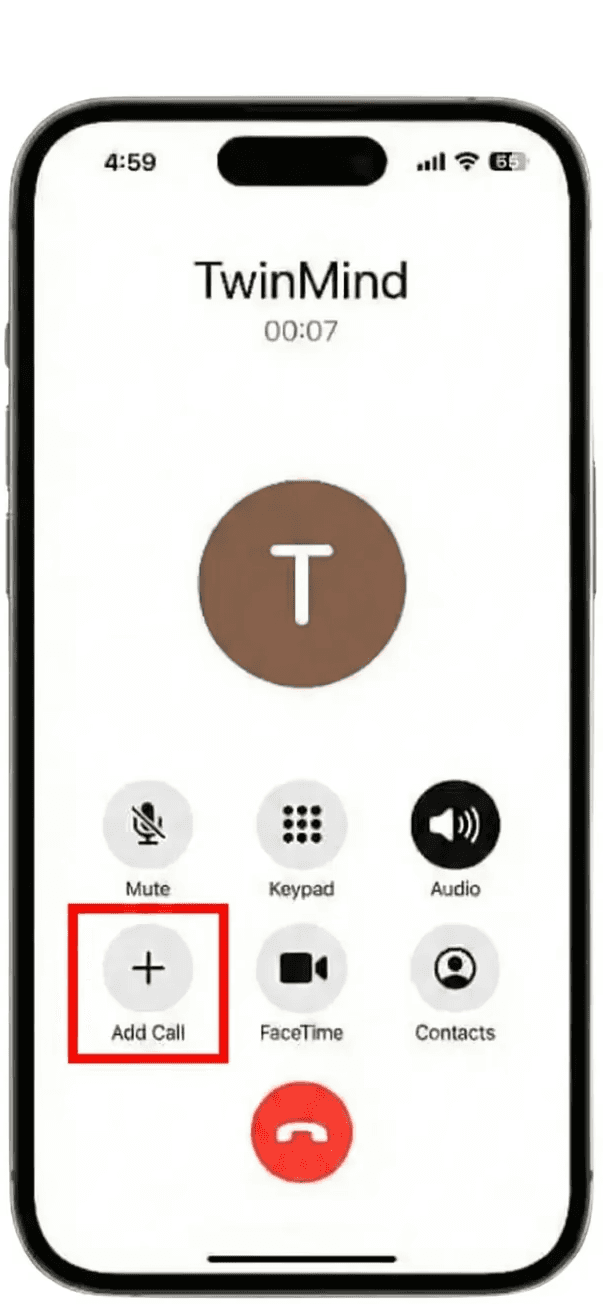
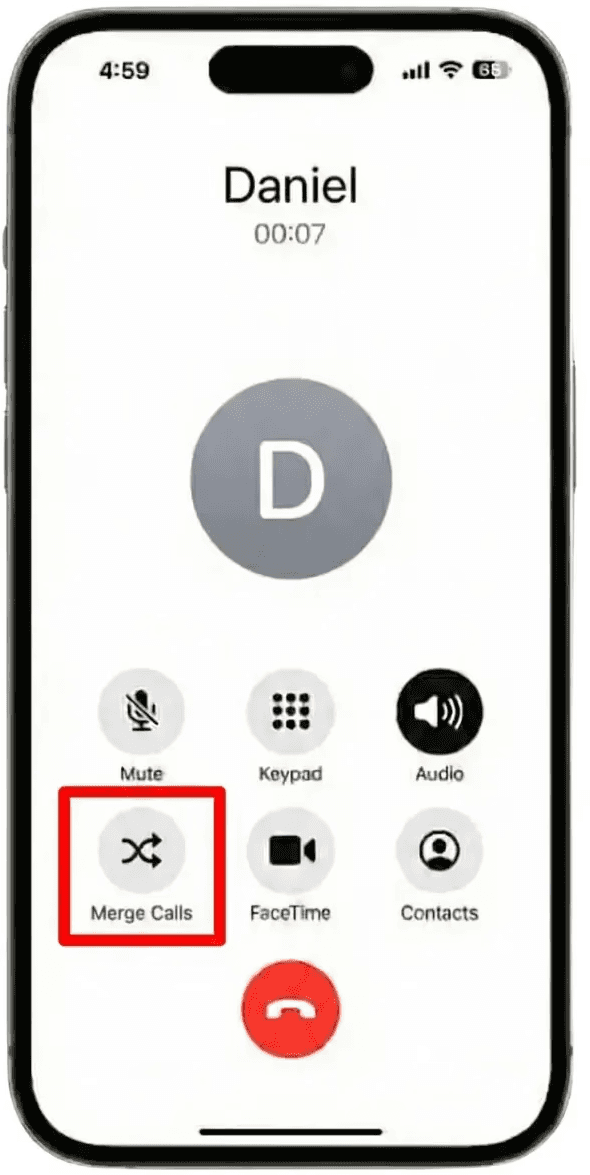
Merge the calls together: Once they answer, tap "Merge Calls". You now have a 3-way call with TwinMind listening silently. Talk normally; we are recording everything.
End when you're done: Hang up like usual. TwinMind automatically starts processing your recording.
3) How to Record an Incoming Call
When someone calls you, just add TwinMind to the conversation. Here’s the simple process:
Answer the call: Pick up like you normally would and start your conversation.
Add TwinMind to the call: Tap "Add Call", then call your saved TwinMind number. Wait for the connection. You'll hear silence.
Merge the calls: Tap "Merge Calls". TwinMind is now recording. Continue your conversation normally.
End when you're done: Hang up like usual. We'll start processing automatically.
⚠️ Important Note:
TwinMind only records from the moment we join the call. For incoming calls, add TwinMind as early as possible to capture the full conversation.
4) What Happens After Your Call
Once you hang up, TwinMind begins processing your recording. You'll receive two emails:
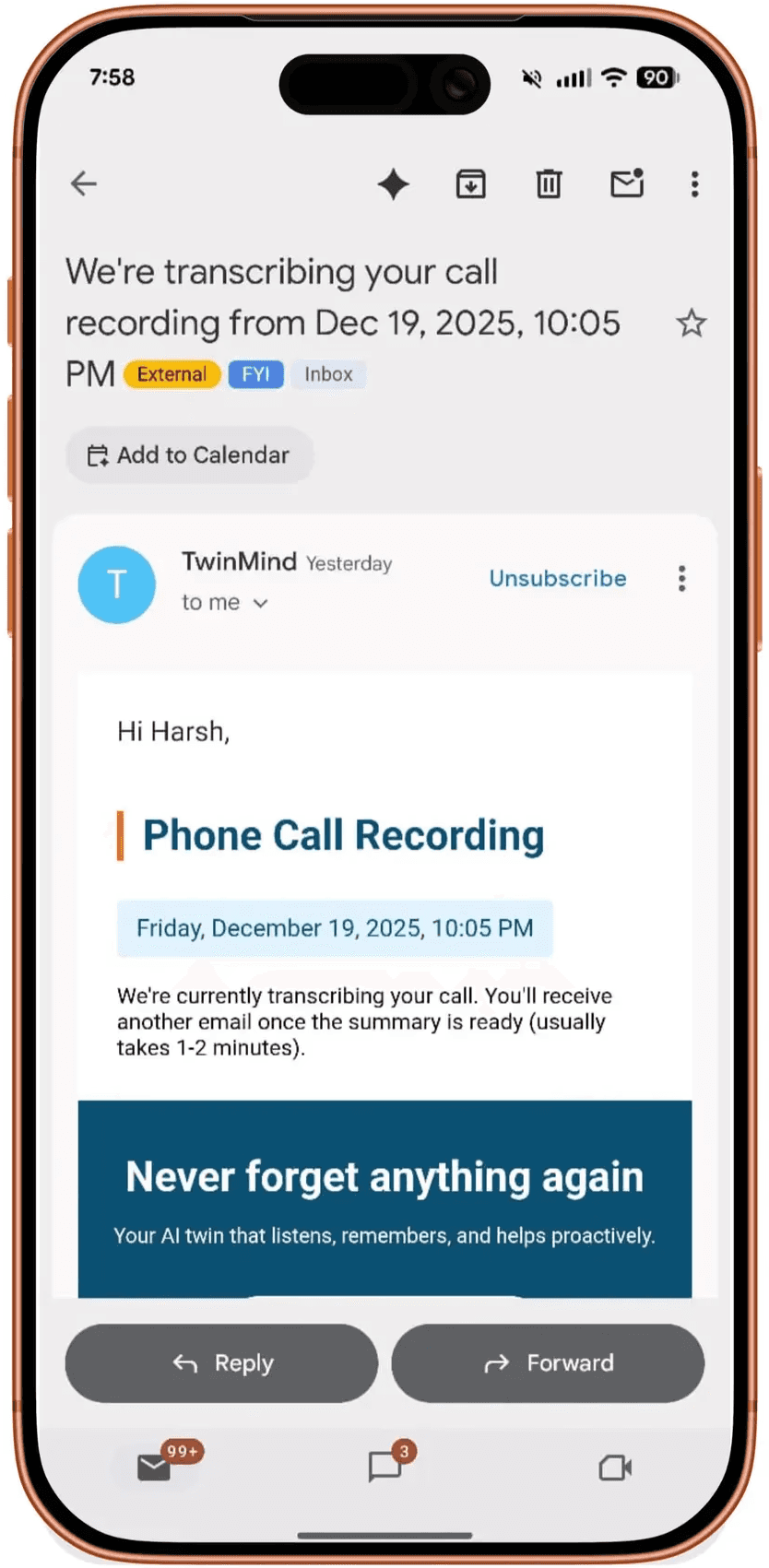
Email #1: "Your phone call is being transcribed"
This arrives within 1-2 minutes and confirms we received your call.
Email #2: "Your call summary is ready"
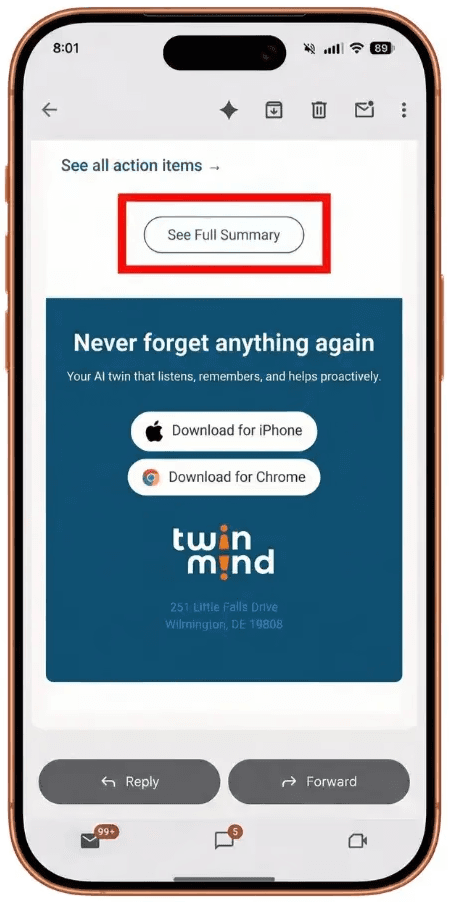
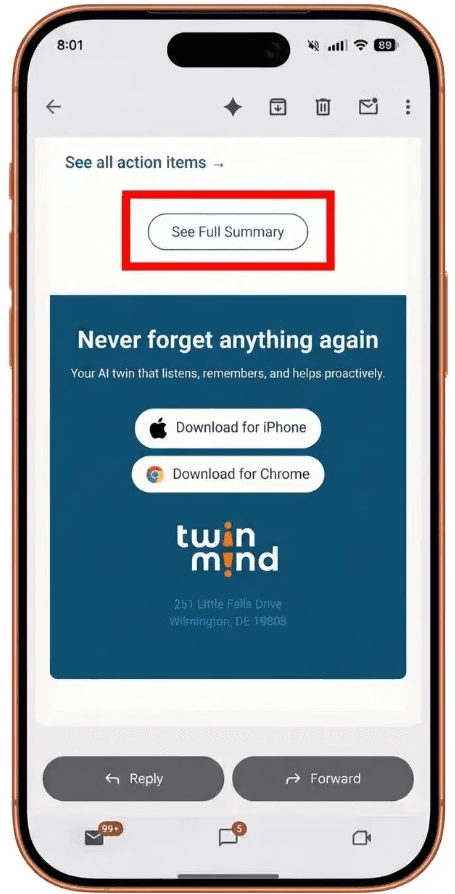
This arrives 5-15 minutes later (depending on call length) and includes an AI-generated summary of your conversation, action items we found, and a "See Full Summary" button to view everything in the web app.
5) How to View and Edit Your Recording
Click "See Full Summary" in your email to open the web app. Here's everything you can do:
📝 Read the Full Transcript: Every word from your call, formatted with timestamps
✏️ Edit the Summary: Modify or improve the AI-generated summary
🎧 Listen to the Recording: Play back the full audio of your call
👤 Add Speaker Labels: Tell us who's who (we try to auto-detect different speakers)
📋 Manage Action Items: View, edit, or add follow-up tasks from your call
💡 Pro Tip: Add Speaker Information!
TwinMind automatically tries to separate different speakers, but you can make it more accurate. Go to the Transcript tab, click on "Add Note," and write a description of the speakers. Add extra information about each speaker to help the AI label them correctly. For example: "Speaker A is Lacy. Speaker B is John from Marketing." The AI will use this information to label the speakers more accurately in the transcript and summaries.
6) Understanding Recording Laws
Before you record any call, it's important to understand your legal responsibility.
⚠️ Important: Know Your Local Laws
Many regions require you to inform all participants that you're recording. Some require everyone's consent before recording.
You are responsible for legal compliance. TwinMind provides the technology, but you must follow your local laws.
Need help? Search "phone call recording laws [your state/country]" to understand your requirements.
7) How TwinMind Protects Your Privacy
Your recordings are private: Only you can access them.
Best in class encryption: All data is protected with military-grade encryption.
No training on your data: We never use your calls to train AI models.
You own your data: Delete any recording at any time.
8) Troubleshooting Common Issues
Having trouble? Here are solutions to the most common problems:
"I didn't get the confirmation email"
Check your spam or junk folder
If using Apple Sign-In with "Hide My Email," check your Apple-forwarded email address
Verify your email address in Settings → Account
Wait 5 minutes (there's occasionally a delay)
"My phone number won't verify"
Include your country code (example: +1 for US)
Request a new verification code
Still having issues? Contact us on Discord for help
"My call didn't record"
Did you call from your verified phone number?
Did you merge the calls (not just put on hold)?
Did you use the correct TwinMind number for your country?
Did you have cell service during the call?
"The recording is too short or missing parts"
TwinMind only records from the moment we join the call. If you added us 5 minutes into a conversation, the first 5 minutes won't be captured.
Solution: For incoming calls, add TwinMind as soon as possible after answering to capture the full conversation.
9) Frequently Asked Questions
Will the other person know TwinMind is on the call?
No. TwinMind is completely silent. The other person won't hear any beeps or announcements. They won't know unless you tell them (but remember, you may be legally required to inform them).
How long can my calls be?
Up to 12 hours. Most calls process within 5-15 minutes after ending.
Can I record group calls with multiple people?
Yes! Merge as many people as your phone carrier allows. TwinMind will record everyone.
How accurate is the transcription?
Very accurate for clear audio. Our EAR-3 model achieves 94.74% accuracy across 140+ languages. Accuracy drops with background noise or poor connection.
Can I delete recordings?
Yes. You can delete any recording from the web app at any time.
Facing Any Issues? We're Here to Help!
💬 Contact Us!
If you have any questions, run into issues, or have feedback, please join our community and contact us on Discord! We'd love to hear from you.
Helpful Links
Written by

UI/UX Designer
Share this