Want accurate speaker labels and the option to replay meeting audio later? Turn on Save audio, and TwinMind will automatically separate voices and tag speakers at the end of every capture. This makes your summaries and chats more accurate, and gives the TwinMind MCP richer context to work with.
Note: Automatic speaker separation is available only on the Max plan. Upgrade to Max to have voices automatically separated after every capture.
Step 1: Turn on “Save audio” in TwinMind
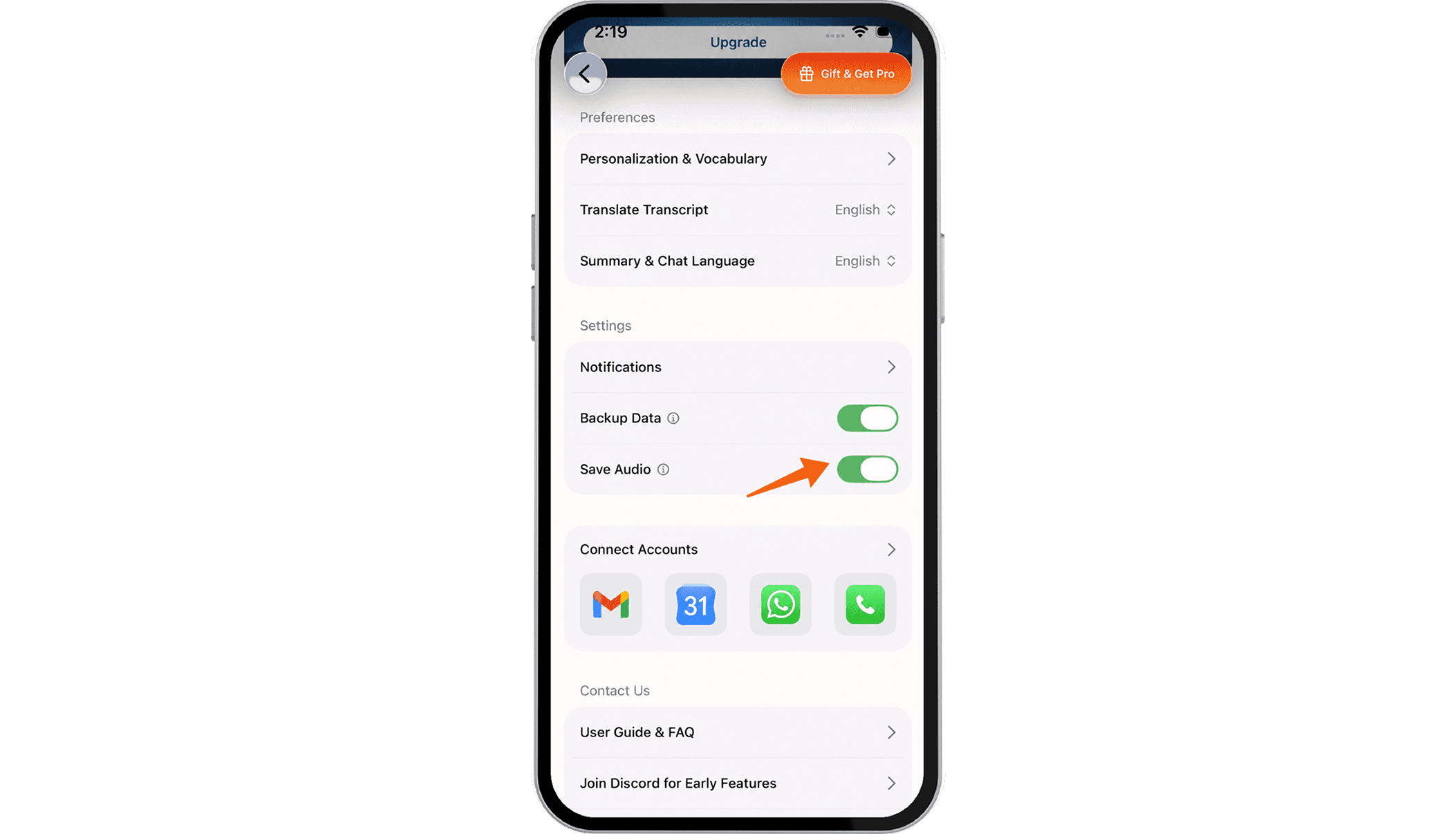
Mobile app: Settings → enable Save audio
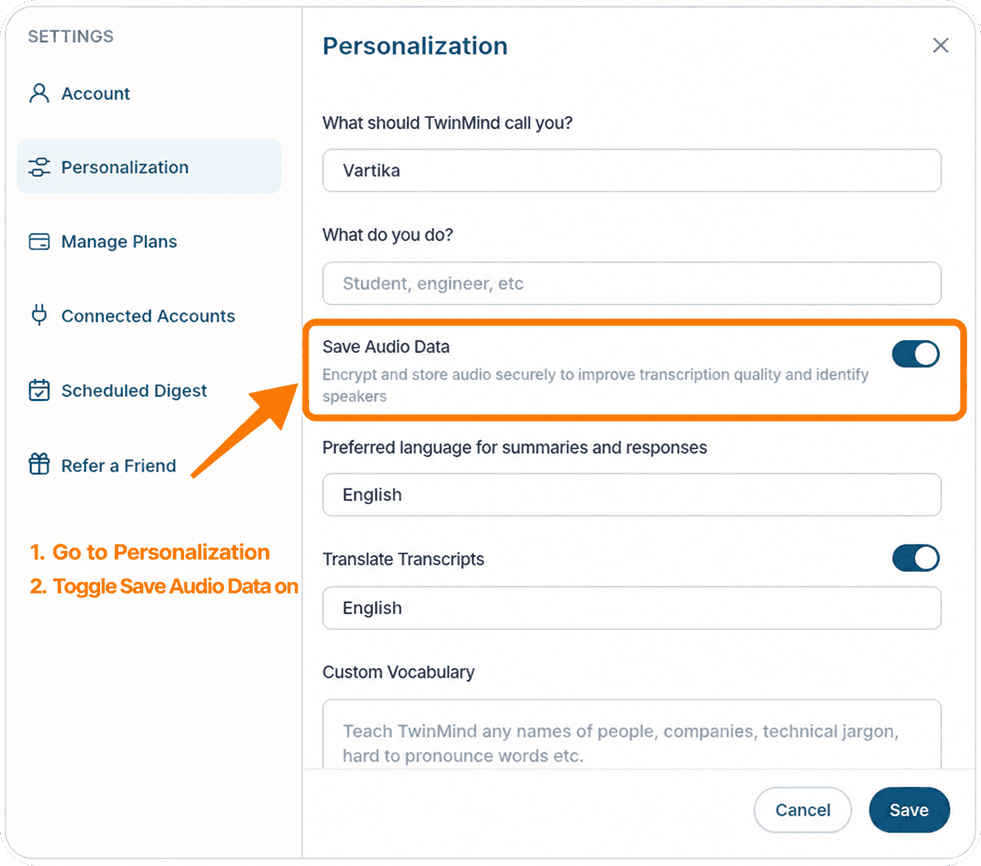
Web App: Settings → Personlization → enable Save audio
Step 2: Capture as usual
That’s it. When you end a capture, TwinMind automatically separates the voices and tags each speaker.
Step 3 (optional) : Add a note about speaker names in the Web App
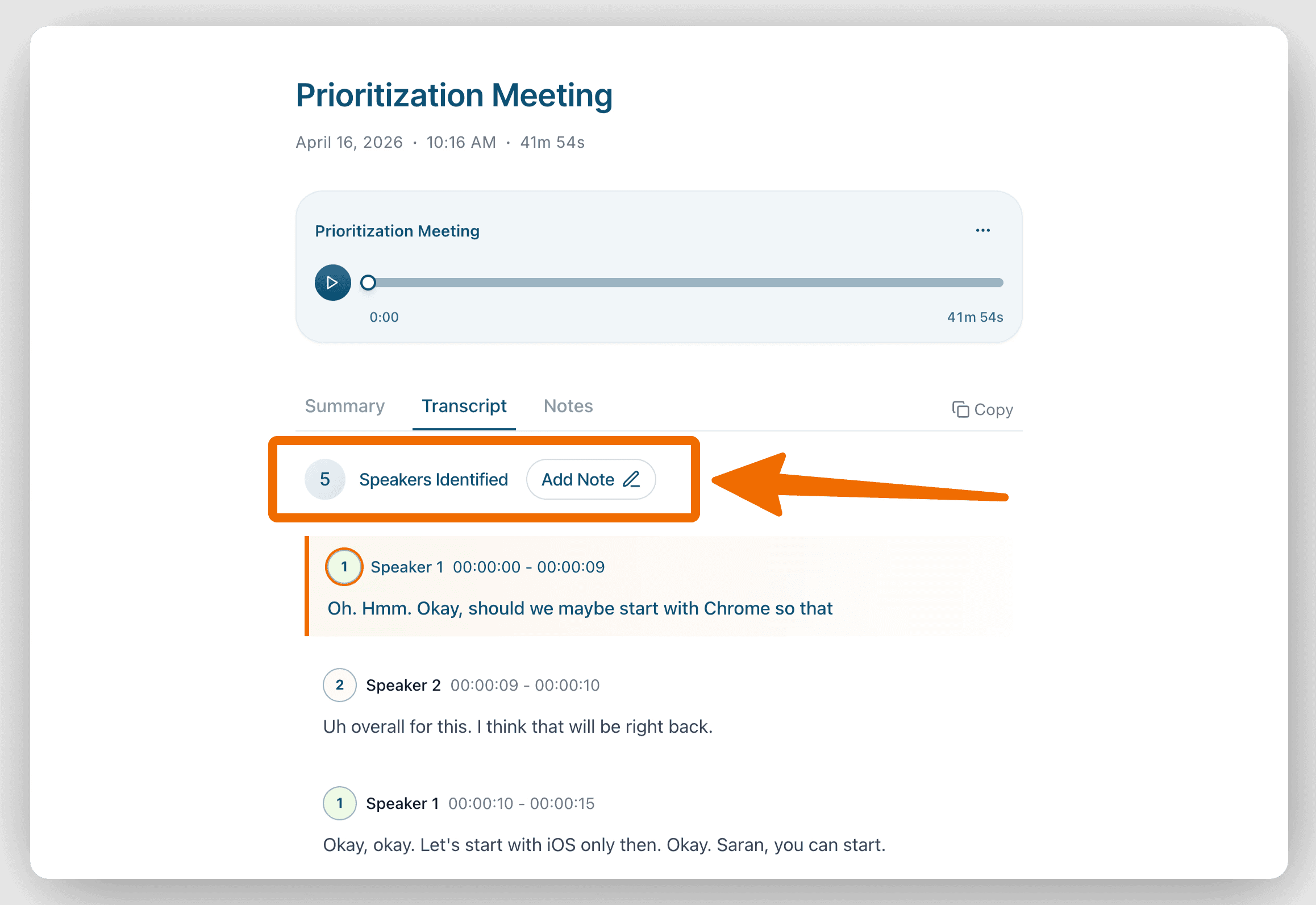
Click Add note in the Web App and add any speaker details you have (for example, “Speaker 1 is Daniel, Speaker 2 is the client”).
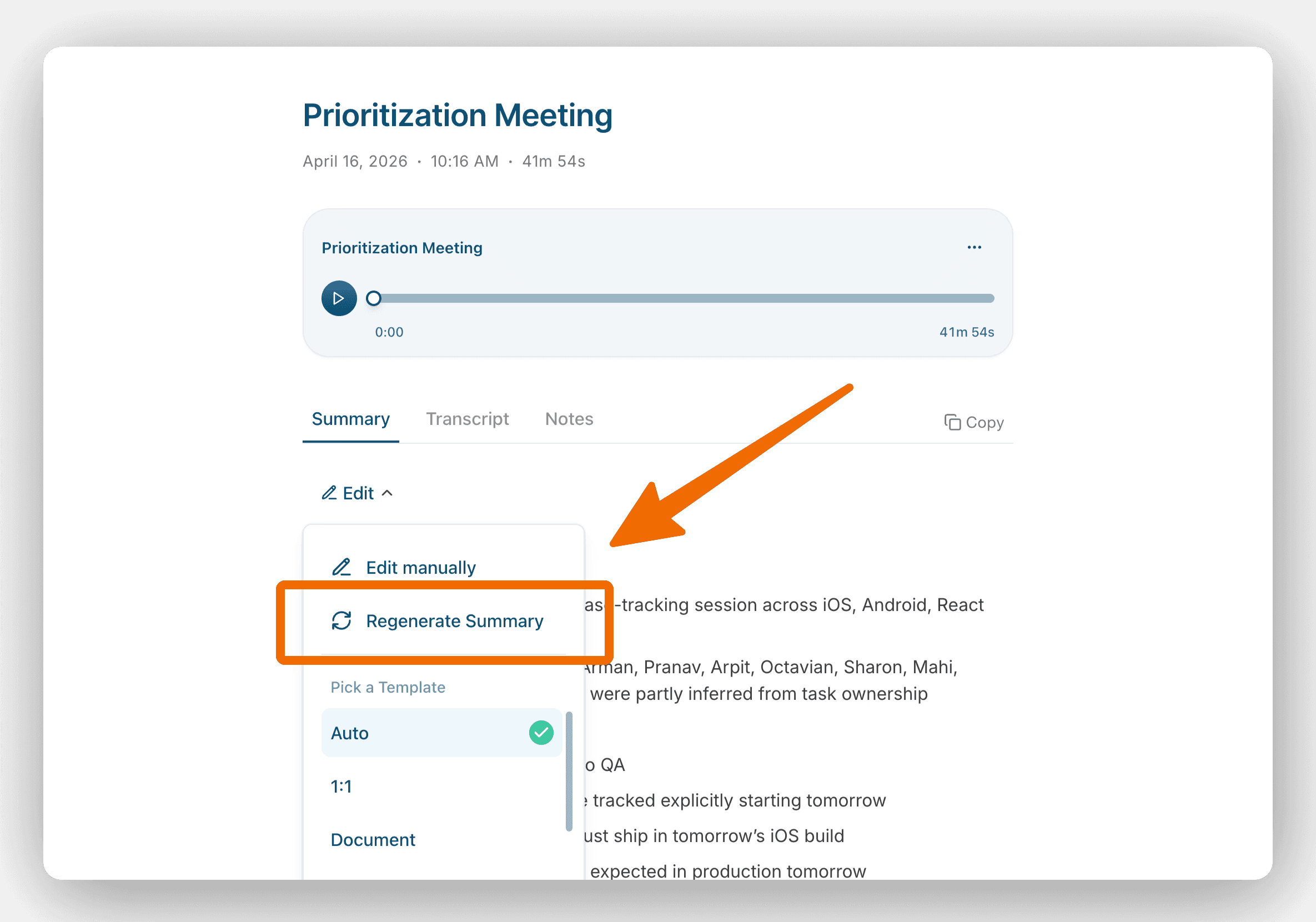
Click Regenerate in the Summary tab to apply your changes.
💡 Speaker separation only runs on captures recorded with Save audio turned on.
If speakers aren’t labeled the way you expect, add a quick note with names and click Regenerate again.
Written by

Product Growth & User Comms
Share this